 vectus
 Vectus Admin Portal
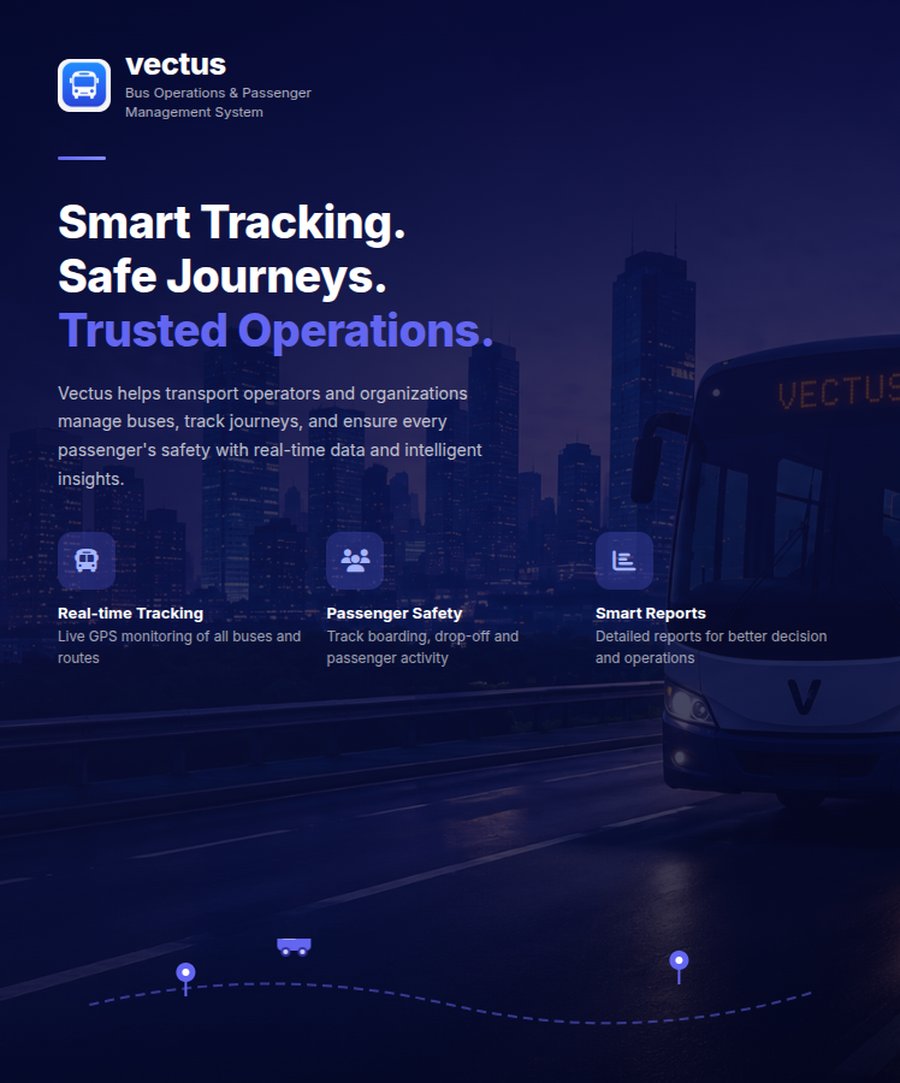
Run your whole fleet from one dashboard.
The Admin Portal is the control centre for the platform — fleet, routes, drivers, passengers, and reporting, all reading and writing to the same real-time data the mobile apps use.
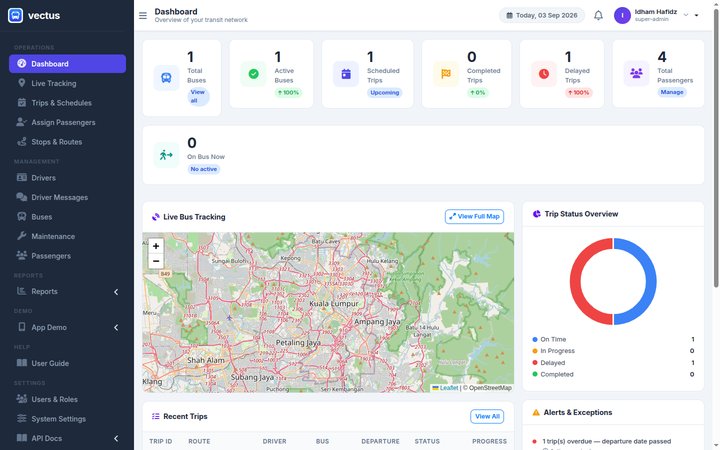
Live Fleet Dashboard
One screen shows the state of the whole operation the moment an admin logs in.
- Bus, trip, and passenger counts at a glance
- Mini live map of buses currently on the road
- Trip status breakdown and recent-trips feed
- Alerts for overdue or delayed trips
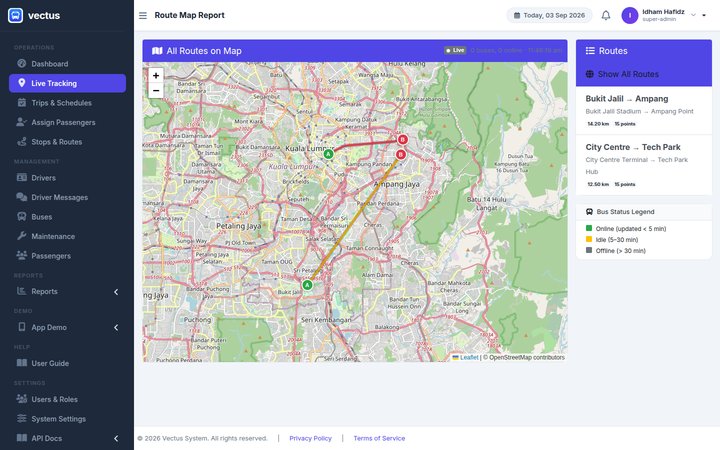
Live Bus Tracking & Route Maps
Every route on a single map, with each bus colour-coded by how current its last update is.
- All active routes plotted at once, or filtered to one
- Online / idle / offline status legend per vehicle
- Route distance and stop count for every route
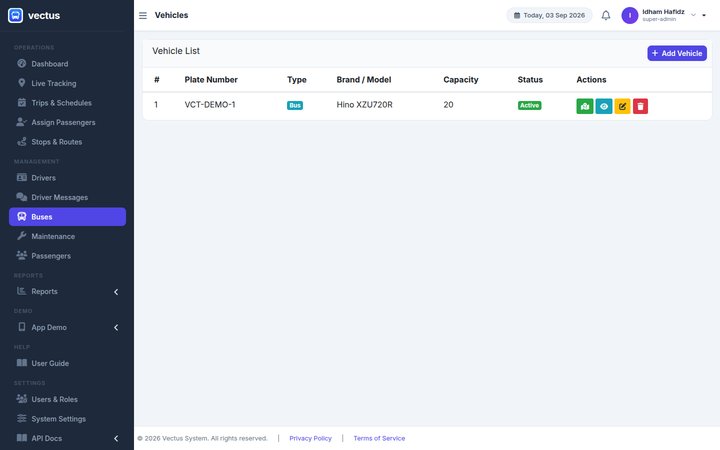
Vehicle & Fleet Management
Every bus in the fleet, with the details operations actually needs day to day.
- Plate number, type, brand/model, and capacity in one list
- Active / maintenance / inactive status per vehicle
- Add, edit, track, or retire a vehicle from the same screen
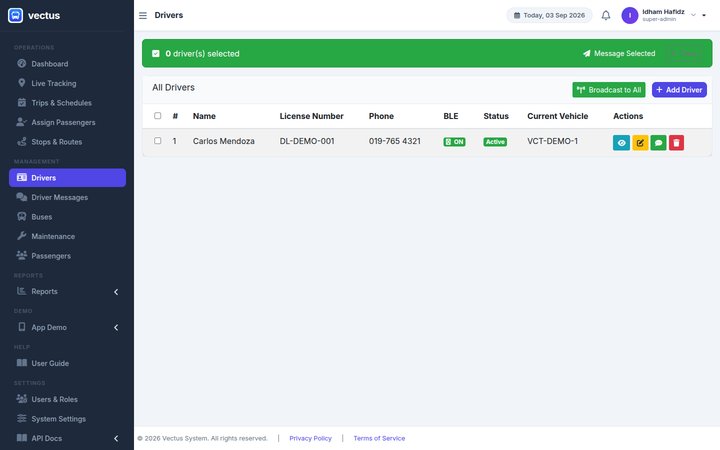
Driver Management & Messaging
Onboard, monitor, and message drivers without leaving the browser.
- Licence number, phone, and Bluetooth (BLE) status per driver
- Assigned vehicle and active/inactive status at a glance
- Message an individual driver or broadcast to the whole fleet
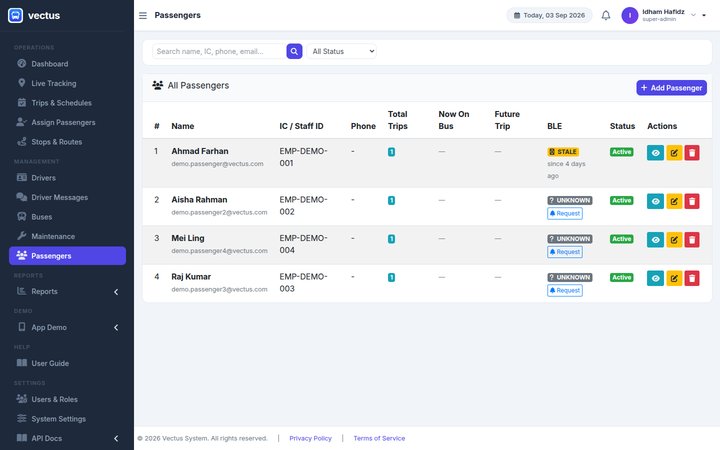
Passenger Management
Search, verify, and track every passenger the organisation has registered.
- Search by name, IC/staff ID, phone, or email
- Trip counts and current on-bus status per passenger
- Bluetooth (BLE) pairing status, with a re-request option
Reporting & Exports
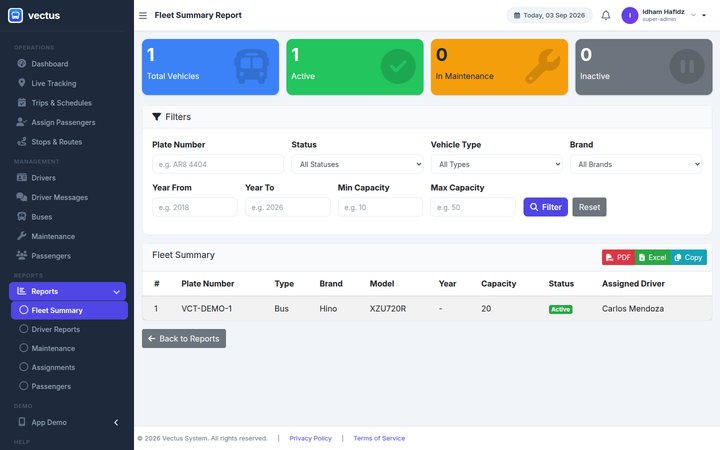
Filterable reports across the fleet, ready to hand off without reformatting.
- Fleet, driver, maintenance, assignment, and passenger reports
- Filter by plate number, status, vehicle type, brand, or year
- Export straight to PDF, Excel, or clipboard
See the Admin Portal on your own fleet
We'll walk you through fleet setup, reporting, and everything in between.
Request a Demo